

Product Description
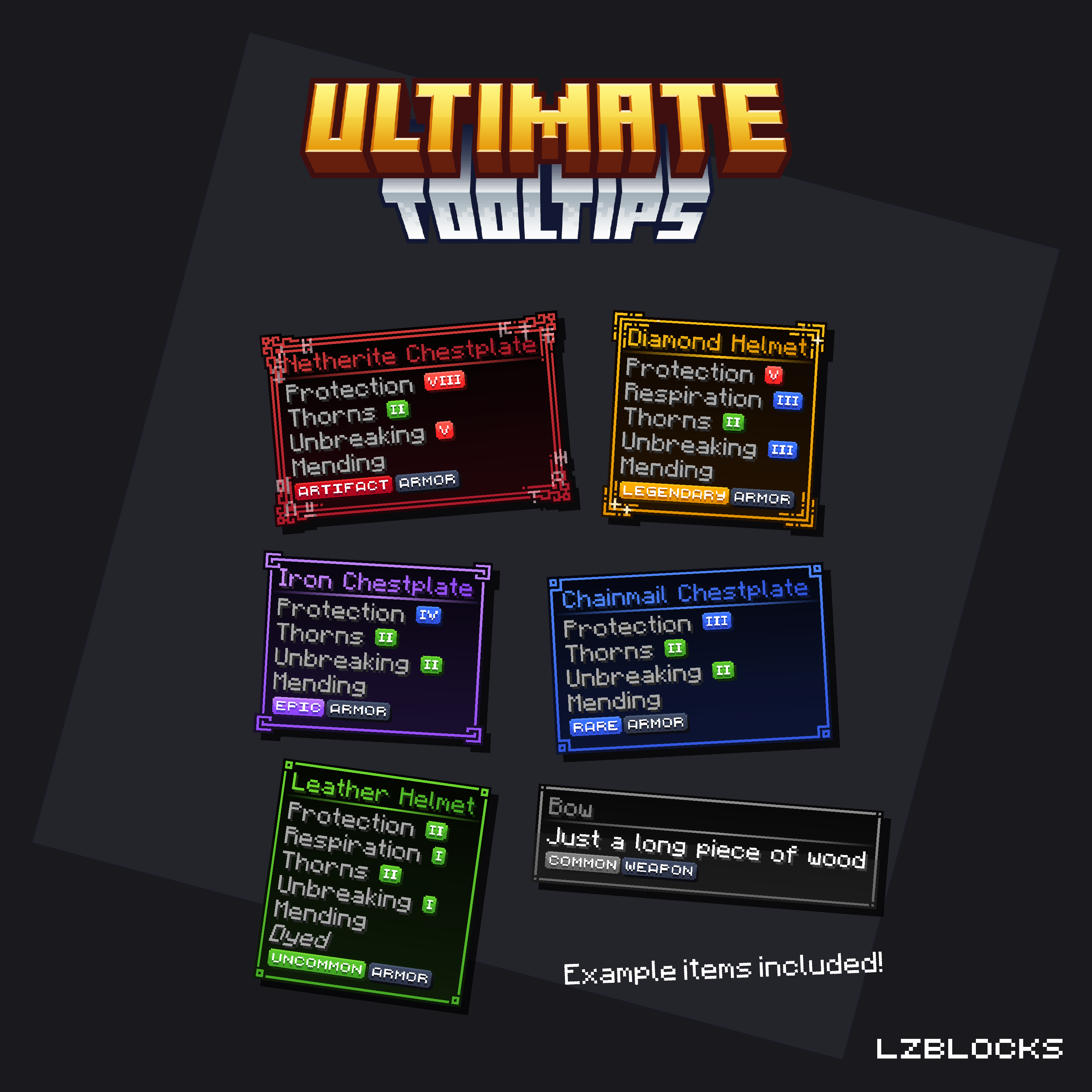
This set includes 6 unique custom tooltips, each representing a different rarity tier, along with 6 matching item tags designed to perfectly complement the tooltips.
Additionally, you’ll find 14 additional descriptive tags to bring even more personality and flair to your items.
For enchantments, the pack contains Roman numeral tags (I–X) in three different color variations — red, blue, and green — giving you full creative flexibility for item rarities and enchantment styles.
Several of the included tooltips are also animated, creating a dynamic and polished visual effect.
Thanks to the simple Nexo and ItemsAdder Drag & Drop configuration, setting everything up is effortless – no manual configuration needed.
 Important:
- The custom tooltips require a Minecraft server version 1.21.3 or higher to function correctly.
 Included in this set:
- 6 Custom tooltips: Artifact, Legendary, Epic, Rare, Uncommon, Common
- 6 Rarity tier tags: Artifact, Legendary, Epic, Rare, Uncommon, Common
- 14 Descriptive Tags: Accessory, Armor, Block, Cosmetic, Currency, Decoration, Food, Furniture, Hat, Item, Other, Pet, Tool, Weapon
- 30 Enchantment numeral tags: 1-10 in green, blue and red
- Serveral example items for Nexo and ItemsAdder
 Configurations and files included:
- Nexo configuration
- ItemsAdder configuration
- Installation guide for beginners
- Tutorial on how to set up example Item tooltips (like in the thumbnail)
- Raw files (.png)


![⭐LiteFish⭐ [1.16 - 1.21]⚡Level System NEW UPDATE⚡](/data/resource_icons/2/2683.jpg?1767215084)

