

Product Description
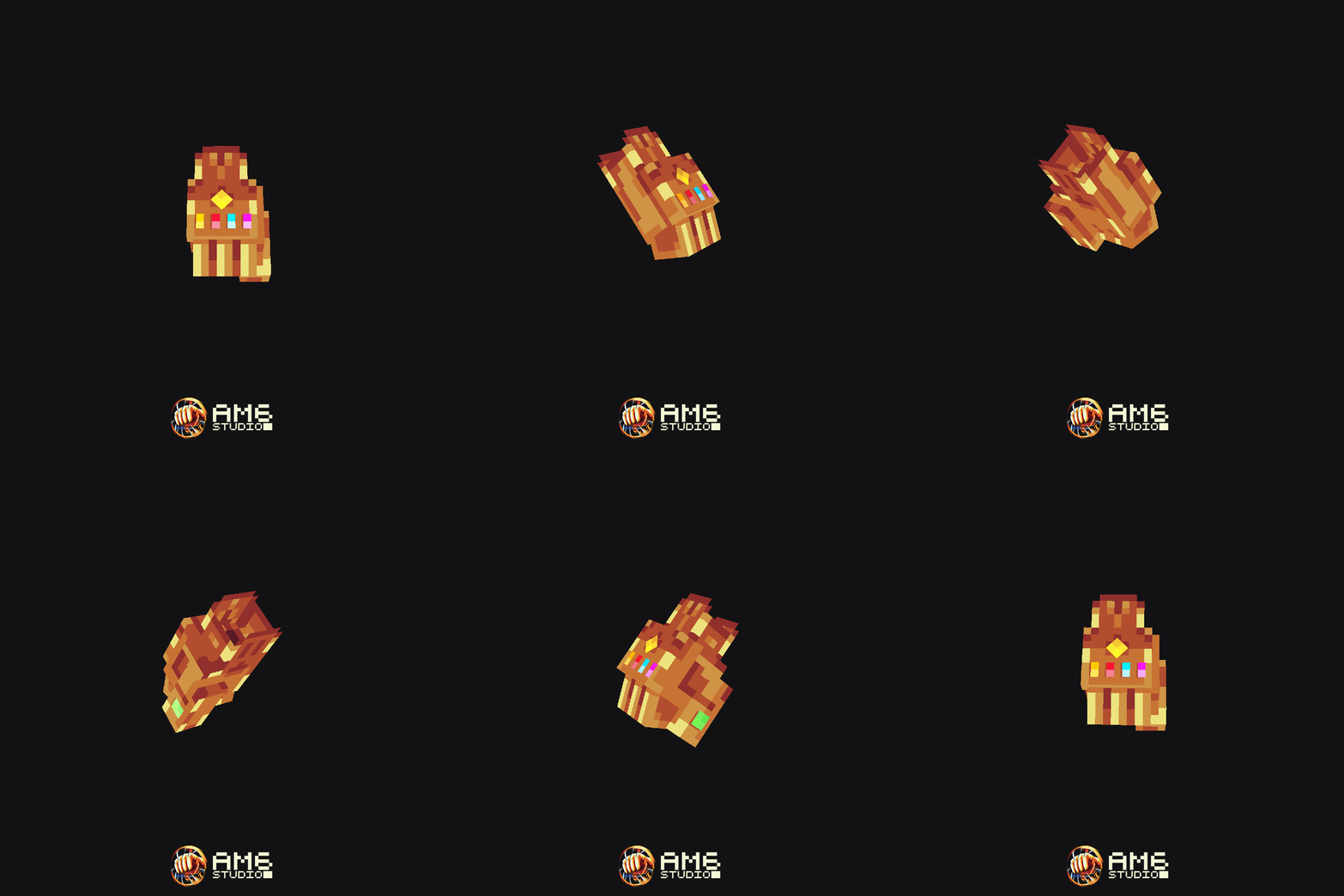
sKILLs.exe - Add a deadly finger snap ability to your Minecraft Server !
Bring forth the power of the infinity gauntlet !
This pack contains the following:
- 1 weapon model (infinity gauntlet)
- 3 different skill VFX models (Red star (cast),shockwave, death desintegration)
- 4 different custom sound effects (shining, finger snap, shockwave, disintegration)
- MythicMobs configuration
- MythicCrucible configuration
- MMOItems configurations
- Nexo configuration
- ItemsAdder configuration
- READ ME file (Installation instructions, how to get the item, how to modify the laser beam's damage, cooldown, item name/description)
sKILLs.exe - DISINTEGRATION (skill description)
INFINITY GAUNTLET
Right‑click while holding the Infinity Gauntlet to begin charging its power. After a brief delay, you snap your fingers and release a devastating shockwave. All enemies caught in the blast are disintegrated. (Damage values are adjustable for balance purposes although this was meant to be an execute skill.)
SEALED INFINITY GAUNTLET
Right‑click while holding the Sealed Infinity Gauntlet to channel its restrained energy. After a short delay, you snap your fingers and unleash a shockwave that forcefully repels all nearby enemies.
BOTH VERSIONS USE THE SAME ITEM MODEL !
TECHNICAL DETAILS
All visual effects are contained within 2 Blockbench files (
.bbmodel). 1 file for skill cast (red shining star + shockwave), 1 file for the death disintegration visual effect. These files are generic models, with the respective effect being played through an animation.Because of this, if you want to integrate the skill’s visual effects into your own systems (custom plugin, mod, etc.), you only need to spawn the Blockbench model and play its animation. The entire effect sequence will run automatically.
If you prefer to use only part of the visual effects (to use with another visual effect for instance), such as keeping only the wind shockwave and removing the shining red star effect, you can simply delete the corresponding bones in the model (or simply hide them by scaling them to 0 and duplicating the animation).
Please note that no support is provided for custom implementations. This information is offered solely for users who already have the necessary technical knowledge and would like to use the visual effects model for other purposes.
DEPENDENCIES
- MythicMobs Premium
- ModelEngine 4
- Nexo OR ItemsAdder
- MythicCrucible OR MMOItems





![RPG Townspeople [Fisherman]](/data/resource_icons/3/3588.jpg?1770500923)