- MINECRAFT VERSION
- 1.18.1 → 1.7
The Oceano Shaders 3.0 shader pack is one of Minecraft’s most popular shader packs to date. With nearly half of a million gamers enjoying this shader, there is no doubt that giving this pack a try is worthwhile. With new visual element upgrades, there are plenty of exciting new game features to enjoy.
This shader pack is a major upgrade to the Vanilla Minecraft version, bringing in new details of lighting, shadows, water, and sky textures to improve the immersion of the Minecraft world. There are new visual elements such as distance blur and tilt-shift for long-range views. This shader pack is especially beautiful for creating some still images of the Minecraft world you play on or developing some unique content to share with your community.
Along with the upgrades to the visuals of Minecraft, many of the performance settings have been tweaked. This means that graphics and processing power is altered through the adjustment and introduction of in-game performance details.
Oftentimes, introducing new visual elements and upgrades to lighting and shadows will be more demanding graphically. Using a wide range of settings, you can optimize the shader pack to work properly for your computer. Many older PCs might find this shader pack to be slightly demanding in terms of performance.
You may see a drastic change in the game’s frames per second when you load up the Oceano Shaders 3.0 pack. This demanding shader will certainly cost a lot of performance, so be sure to look at your PC’s stats when running the pack to ensure you are getting the best fps and not overheating your machine.
Oceano Shaders 3.0 can only be used by those who have Optifine installed for the shaders to function properly. Oceano Shaders 3.0 can automatically be used within your Minecraft world once Optifine is installed and you successfully installed this shader pack.
Overall, Oceano Shaders 3.0 is a beautiful shader pack that will give you a new feeling when in the Minecraft world. You can enjoy visuals that give off real feelings of warmth and comfort when walking around your Minecraft world on a summer afternoon.
SCREENSHOT
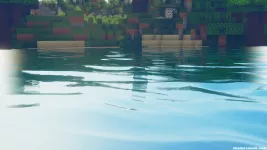

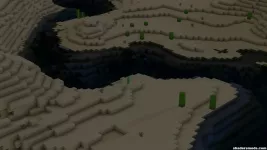
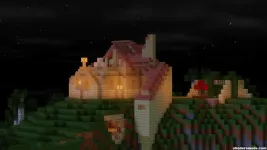
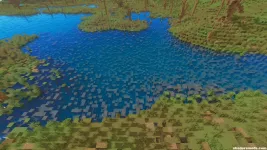
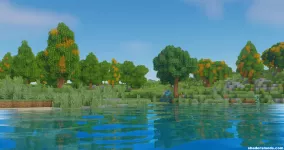
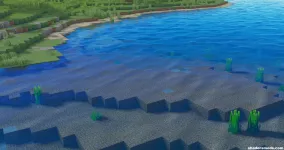
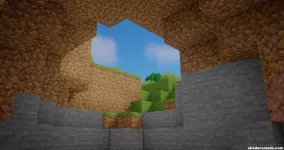
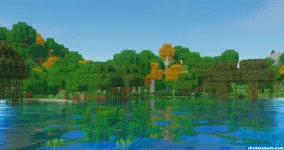
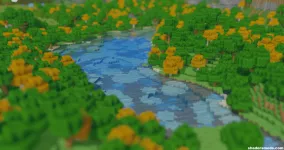

Vanilla Day

Vanilla Noon

Vanilla Sunset

Vanilla Night

Vanilla Water

Vanilla Underwater

Vanilla Rain

Vanilla Light

Vanilla The Nether

Oceano Shaders 3.0

Oceano Shaders 3.0

Oceano Shaders 3.0

Oceano Shaders 3.0

Oceano Shaders 3.0

Oceano Shaders 3.0

Oceano Shaders 3.0

Oceano Shaders 3.0

[GALLERY=media, 3][/GALLERY]
This shader pack is a major upgrade to the Vanilla Minecraft version, bringing in new details of lighting, shadows, water, and sky textures to improve the immersion of the Minecraft world. There are new visual elements such as distance blur and tilt-shift for long-range views. This shader pack is especially beautiful for creating some still images of the Minecraft world you play on or developing some unique content to share with your community.
Along with the upgrades to the visuals of Minecraft, many of the performance settings have been tweaked. This means that graphics and processing power is altered through the adjustment and introduction of in-game performance details.
Oftentimes, introducing new visual elements and upgrades to lighting and shadows will be more demanding graphically. Using a wide range of settings, you can optimize the shader pack to work properly for your computer. Many older PCs might find this shader pack to be slightly demanding in terms of performance.
You may see a drastic change in the game’s frames per second when you load up the Oceano Shaders 3.0 pack. This demanding shader will certainly cost a lot of performance, so be sure to look at your PC’s stats when running the pack to ensure you are getting the best fps and not overheating your machine.
Oceano Shaders 3.0 can only be used by those who have Optifine installed for the shaders to function properly. Oceano Shaders 3.0 can automatically be used within your Minecraft world once Optifine is installed and you successfully installed this shader pack.
Overall, Oceano Shaders 3.0 is a beautiful shader pack that will give you a new feeling when in the Minecraft world. You can enjoy visuals that give off real feelings of warmth and comfort when walking around your Minecraft world on a summer afternoon.
SCREENSHOT
ceano Shaders 3.0 — Comparison
Vanilla Day
Vanilla Noon
Vanilla Sunset
Vanilla Night
Vanilla Water
Vanilla Underwater
Vanilla Rain
Vanilla Light
Vanilla The Nether
Oceano Shaders 3.0
Oceano Shaders 3.0
Oceano Shaders 3.0
Oceano Shaders 3.0
Oceano Shaders 3.0
Oceano Shaders 3.0
Oceano Shaders 3.0
Oceano Shaders 3.0
Oceano Shaders 3.0 — Installation Guide
- The first step is to download and install the Optifine HD on your Minecraft client!
- Now go to:
- Windows => %appdata%\.minecraft
- Mac OS X => ~/Library/Application Support/minecraft
- Linux => ~/.minecraft
- Search for the “shaderpacks” folder.
- Copy downloaded zip file in the shaderpacks folder.
- Now you can select shader in-game from Options -> Video Settings -> Shaders!
- That was all!
- Minecraft 1.7.10 or above, 1.16.x & 1.17.x is highly recommended.
- The latest version of Optifine.
- A discrete GPU.
- Go to Options -> Video Settings -> Shaders -> Shader Options
- Select a lower profile and click on the done button.
- Paper
- Low
- Default
- High
[GALLERY=media, 3][/GALLERY]

![GPet ⭐ Modern & Advanced Pet Plugin - [1.20 - 26.1.1] ✨](/data/resource_icons/2/2118.jpg?1770500906)